


Wi-Fi at Rome Airports (FCO & Ciampino): How to Connect
Introduction
Reliable internet access can make your arrival or departure from Rome significantly smoother. Whether you need to download a boarding pass, message your hotel, confirm a transfer booking or simply pass the time while waiting at the gate, airport Wi-Fi is often the first connection travellers rely on. Both Fiumicino (FCO) and Ciampino (CIA) offer complimentary Wi-Fi throughout the terminals, but performance and connection procedures differ slightly between the two airports.
This 2026 guide walks you through how the system works, the exact steps to connect, what kind of speeds you can expect and how safe the network is for everyday use.
How Airport Wi-Fi Works in Rome (FCO & Ciampino)
Rome’s airports provide free, unlimited Wi-Fi, accessible in public zones including check-in areas, security zones, boarding gates and most cafés and lounges. The service is operated by ADR (Aeroporti di Roma) and does not require payment or time-limited access.
Overall stability is good, especially at Fiumicino, whose infrastructure has undergone more significant upgrades in recent years. Ciampino’s network is simpler and can feel slower during peak low-cost airline departures. As with all large airports, connection quality depends on traffic volume, with early mornings and late evenings usually offering the most stable speeds.
How to Connect to Wi-Fi at Fiumicino (Step-by-Step)
Connecting at Fiumicino involves a brief multi-step process. Begin by selecting the “Airport Free Wi-Fi” network on your device. Shortly after connecting, a notification will appear prompting you to open the login page—tap this notification to continue. A landing screen will load with a countdown timer visible in the top-left corner. You must wait until this timer finishes; during this period, no action is required. Once the countdown reaches zero, a “Close” button will appear in the upper-right corner. Tap it, and the system will redirect you to a second page. On this final page, you will see a button such as “Surf Free Now”. Tap it to activate your free session. From that moment, you should remain connected across Terminal 1, Terminal 3 and most gate areas without needing to repeat the login process. Fiumicino’s Wi-Fi offers a stable connection for browsing, messaging, flight updates and maps, though speeds may decrease during busy travel windows.
How to Connect to Wi-Fi at Ciampino (Step-by-Step)
The process at Ciampino is simpler. After selecting the “AIRPORT FREE WIFI” network, your browser will automatically redirect you to the airport’s login screen, where you must accept the terms of use before gaining access. Coverage is consistent within the departures hall and gate areas. Performance is adequate for essential tasks such as retrieving digital boarding passes, checking transport options or messaging accommodation. However, during peak hours, particularly when multiple low-cost flights depart close together, speeds may fluctuate noticeably.
Real Speed & Stability: What to Expect in 2026
Fiumicino generally delivers the best overall performance, with typical speeds ranging from 10–25 Mbps, making it suitable for web browsing, social media, email, messaging apps and basic streaming. Ciampino, while functional, tends to show more variation, often settling between 5–15 Mbps depending on demand.
Wi-Fi congestion is common in airports, and Rome is no exception. Mid-day departures, holiday weekends and early morning rush periods are when travellers are most likely to notice slower speeds. As both airports continue upgrading their digital infrastructure, stability has improved compared to previous years, but heavy bandwidth use—such as large file uploads or HD streaming—remains better suited to mobile data.
Is Airport Wi-Fi Safe? What Tourists Should Know
Rome’s airport Wi-Fi networks are legitimate and managed by the official airport operator. For everyday tasks such as checking flight status, maps, schedules or restaurant options, the network is perfectly adequate. However, as with any public Wi-Fi network, caution is recommended. Travellers should avoid entering sensitive information such as bank details or passwords unless using a VPN. Public airport networks can be targeted by opportunistic attackers or spoof networks that imitate the official SSID. Ensuring you select the correct network name and avoiding high-risk online behaviour will minimise any security concerns.
Conclusion
Rome’s airports offer free, easy-to-access Wi-Fi that meets the needs of most travellers. The connection process at Fiumicino requires a few additional steps, but once completed, the network is stable across the terminals. Ciampino provides simpler access, though performance may vary more during busy periods. Understanding how to connect and what speeds to expect ensures a smoother experience from the moment you arrive or before you fly home. For messaging, browsing, maps and travel planning, airport Wi-Fi is more than sufficient for most visitors passing through FCO or CIA.
FAQ
Is the Wi-Fi at Rome airports really free?
Yes, both Fiumicino and Ciampino provide unlimited free Wi-Fi throughout public areas of the terminals.
Do I need to register with personal information?
Usually, you only need to accept the terms of service or enter an email. No ID or documents are required.
What should I do if the Wi-Fi is unstable?
Airport performance varies throughout the day. Speeds tend to improve outside peak times such as early morning or mid-afternoon departures.
Need a safe and reliable airport transfer?
Book a Trusted Transfer from FCO or Ciampino
Your driver will meet you at arrivals with a name sign — no queues, no stress, fixed price.
Related guides
Best eSIM for Italy (2026 Guide for Tourists)
A clear 2026 guide to the best eSIM options for tourists visiting Italy — prices, data plans, coverage, and the easiest choices for stress-free travel.

Best SIM Card for Tourists in Rome (Where to Buy in 2026)
A clear and trustworthy 2026 guide to the best SIM cards for tourists in Rome, including real prices, where to buy them, and which operator offers the most reliable coverage.
You might also like
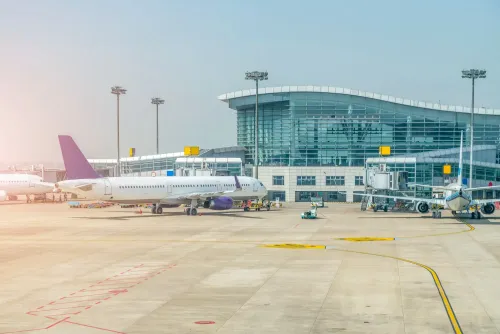
Arriving in Rome from Fiumicino Airport: How to Choose the Best Transport in 2026
Find the best way to travel from Fiumicino Airport to Rome in 2026. Compare trains, taxis, private transfers, and shuttles — with updated prices, travel times, and practical tips.

The Best Shopping Streets in Rome: From Via del Corso to Via Condotti
Rome’s centre is a walkable shopping stage. From democratic Via del Corso to luxury Condotti, this guide helps you choose the perfect street for your style, time and budget.
How to Claim VAT Refund at Fiumicino Airport (Step-by-Step)
A clear and professional 2026 guide explaining how to claim a VAT refund at Fiumicino Airport, including required documents, customs stamping, refund desks and essential tips to avoid delays.

Is Rome Safe in 2026 What Tourists Should Know
A clear and reassuring 2026 guide on safety in Rome, explaining real risks, safe areas, common scams and practical tips every visitor should know before traveling.

How to Avoid Fake Taxi Scams in Rome (2026 Guide)
A clear and trusted 2026 guide to avoiding fake taxi scams in Rome — where they occur, how to identify real taxis, and how to stay safe when travelling from Fiumicino or Termini.